Testing is the process of evaluating a product or application and verifying whether it meets the specified requirements and quality standards. It’s an important phase of any project or product and acts as the final gate to pass through before reaching the real end user.
When it comes to software testing,
Manual testing and Automation are two of the most popular terms in use. Both are two different testing approaches, but at the end they both get the same job done – “TESTED!”
Each approach has its own advantages and disadvantages; let’s look into what each one does well and how to select the right testing approach.
Manual Testing
In Manual testing, testers play the role of end users and interact with the application just like they would do to verify the user flows and system functionality. This process is carried out manually without the use of any automation tools and can help find bugs that automation scripts may often miss.
Manual testing wins when it comes to exploratory testing, UI/UX checks, and edge case findings.
Automation Testing
Automation testing uses software automation tools to write and run test scripts. Once the scripts are set up, you can run thousands of tests and checks without any human involvement, making it ideal for testing repetitive tasks and for regression testing. Automation testing does require a skilled engineer with knowledge of testing and coding expertise to build and update test scripts.
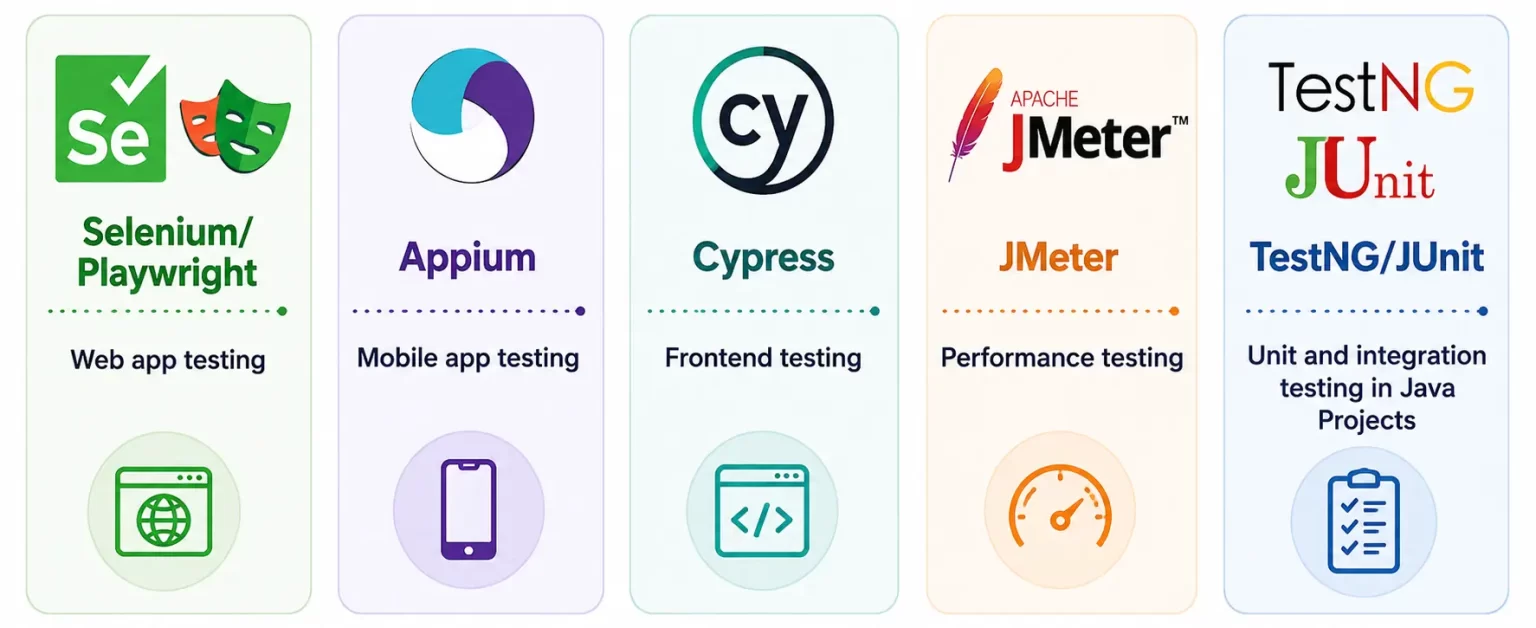
Popular Automation Tools and their areas of use:
- Selenium/Playwright - Web app testing
- Appium - Mobile app testing
- Cypress - Frontend testing
- JMeter - Performance testing
- TestNG/JUnit - Unit and integration testing in Java Projects
Advantages of Manual Testing
- Flexibility to adapt to new changes
While automation scripts follow pre-written steps of code that may be hard to adjust, a manual tester can simply change their testing flow and adjust easily without touching a single line of code.
- Best for Exploratory and Usability Testing
Automation strictly follows the script given and most of the time misses issues that may appear to a real user. Whereas Manual testers are able to freely explore the application and find edge cases.
- Low cost and best for small or short-term projects
Setting up the environment for automation testing requires licensing, open-source tool and framework setup, and maintenance efforts. For small projects with tight deadlines, it’s ideal to do manual testing that doesn’t require a heavy setup process.
- Can easily detect UI/UX issues
Issues like misaligned buttons, confusing navigation flow, typos, etc., can easily be detected and validated with Manual testing.
Advantages of Automation Testing
- Faster Execution of Repetitive test cases
Automation can run thousands of test cases within a shorter period of time, making it ideal for regression testing across multiple sprints.
- Higher Accuracy
We, humans get tired when doing the same thing repeatedly, which can often lead to mistakes and missed issues. However, In Automated scripts, every test runs the same way, every single time, avoiding the risk of human error.
- CI/CD Integration
Automated tests can be easily integrated with CI/CD tools such as Jenkins and GitHub Actions, which allows tests to run automatically with every code commit, enabling faster software releases.
- Test coverage across multiple devices and platforms
Testing an application across Chrome, Firefox, iOS, and Android at the same time is difficult with manual testing. Automation testing allows scripts to run across different browsers, operating systems, and devices, ensuring consistent functionality across platforms.
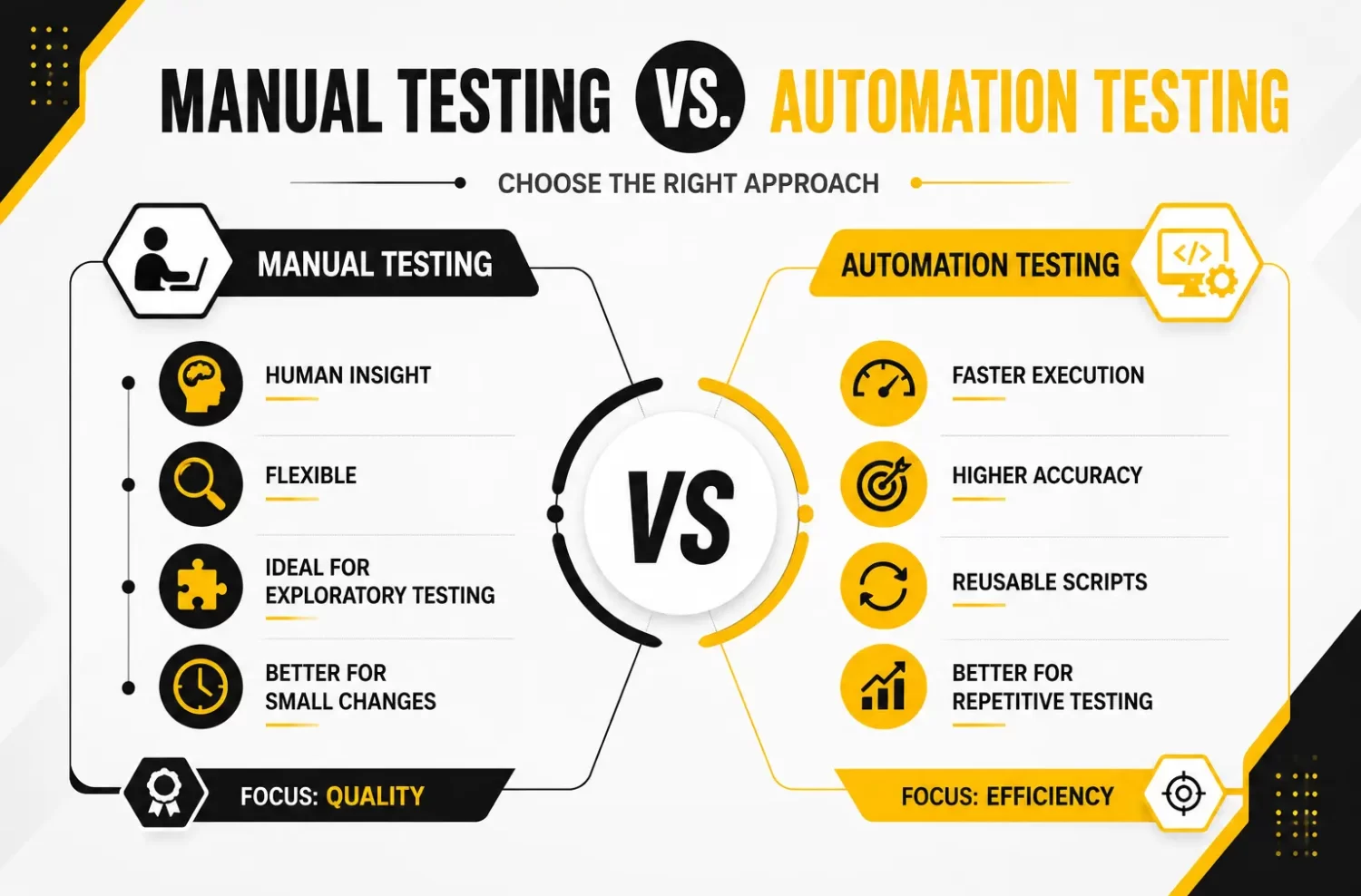
Key Scenarios suitable for each testing approach
Choose Manual Testing for,
- Early-stage prototypes
- One-time or short-term projects
- Exploratory Testing or Usability Testing
- Testing UI Aesthetics and UX flow
Choose Automation Testing for,
- High-volume and repetitive test cases
- Regression testing after new releases
- Performance and Load Testing
- CI/CD Pipeline Integration
Conclusion
Choosing between Manual or Automation doesn’t have to be a tough decision.
Manual testing shines when you need more of a human eye, while automation helps save time and deliver fast results with repetitive tasks.
Manual builds understanding; Automation builds efficiency,
Both combined, Hybrid Testing (Manual + Automation) is the best testing approach.
Depending on your project’s size, budget, and timeline, you can combine both approaches or choose what’s more suitable and create a test strategy to ship QUALITY software.